יום ראשון, 15 בנובמבר 2020

Lessons learned about user experience and product development in the last decade

Working with superb developers and designers in all kinds and shapes taught me a lot. I would like to share a few key mindset changes great developers go through in order to design better products. This article is written from different aspects of the product dev cycle: design, plan, prototype, develop, user testing and QA.

1- YOU DON'T NEED ALL OPTIONS ON SCREEN AT ANY GIVEN MOMENT.

Even when you make a complicated system dashboard, the user has different tasks or questions they wish to find out at any given moment. Make sure you place only the information the user really needs at that specific situation or state.
" Place only the information the user really needs at a specific situation

Think of the product as you think about code: each section should be simplified to do one functionality as simple as possible. When you have parts of the product that can stand for themselves, consider dividing them apart.

Lets take for example an online mobile shopping app that offers taking a picture of a product's bar-code and gives back more details. That functionality is not something to be embedded inside the dashboard, rather it is a separate part of the product, presented in a separate screen.

An overly complicated screen and sayings like "my users must have this" or "we must have this with easy access" is the easiest identifier that you have a problem in your product's UX.

How to get better?
You would need to know who your users are, what they wish to do, what is their problem and how they solve it nowadays with other solutions. And that's where our second principle comes into place.

2- LET YOUR USER FEEL AWESOME ABOUT THEMSELVES.

We humans want our pains to go away. We want to enjoy our time here. And we don't need extra trouble, because we already have enough...  Now, app developers and entrepreneurs might think that what they are building is the best thing humanity has seen. But let me break some news to us all - people don't really care...

The only thing the user will care about is solving their problem efficiently and as fast as possible. If you can do this they would be thankful. If you could do this and let them enjoy from the way, that would be much appreciated. But this is the only way you can make the user care about you. 
"Do everything you can to solve the user's problem as fast and efficiently as you can

A happy and satisfied user is a talking user. Word-of-mouth is the best marketing strategy you can wish for, and that should be the only explanation why you should strive to satisfy your audience. 
But marketing agents usually take this idea one step too far. Because satisfying your user doesn't mean that you have to do what the user asks you to, rather do what they need you to. That is where user research comes into place.

Alan Cooper, the inventor of the Personas, once said that if you can do all that while letting your user believe that they worked that magic themselves- you will become even greater. In Instagram for example, the user believes that they are the ones working all the magic. No one cares or thinks about the effort that was placed into designing such a wonderful technology. But the most important thing happen, it went viral very fast.

How to get better?
Get to know your users by interviewing them on a coffee. Find out their real issues and struggles with existing solutions or shortcuts they found to overcome. Design the interaction flow that would solve their problems better.  

3- DESIGN FOR THE USER FLOWS AND TASKS.

Once you know the tasks the user wishes to perform with your tech, design the steps.

Design one task at a time. Separate the tasks. Make sure steps are well defined.

Offer checklists, breadcrumbs, or other measures to educate the user about the process of execution they are required for.

4- great products don't have a tutorial

if you need a tutorial (or a manual, or documentation) to start using the product, it is a sign of complexity. If you feel your product doesn't work with explanations, and believe that tutorials or step by step instructions will solve this issue, you are addressing this the wrong way.

Even though you might be right, and some sort of instructions will help the user achieve their goal, this will slow them down, and they will not be happy about the fact that they needed help.

Often the need for tutorials identifies a flaw in the product itself. Maybe the process or flow is now defined in the rightful order; perhaps the language used in the UI is not understandable by the user.

Remove the need for explanations will simplify the use and fasten the results.

The way to do that is get to know your user's vocabulary and right track of doing things.

5- watch user testing sessions

You can let others do the user testing for you, but don't give up on watching the tapes. If you can keep quiet, go watch it live. You can give the facilitator notes during the session (if it's really important) or feedback them between each sessions.

Doing this will equip you with the powerful feedback of how users approach the product. In the first time, you would think "this user is stupid", or "they are not the right audience". But after 5 or 10 people you would realize that the truth is that something is not working properly , and we did something that caused that.

6- don't waterfall your agile methodology

The purpose of agile method is to allow easier and faster change. If you know something must change and you will get to it in only 4 or 5 sprints ahead, "just one more release , and then we could handle this issue"- that's not good.

7- talking to designers


8- when do you need more testing?

רעיון מנחה שיכול לעזור להחליט מתי כדאי להפסיק לחשוב על רעיון לפיצ'ר חדש ומתי אפשר להמשיך לפתח את המוצר.
אם הבנת שיש בעיה במוצר או בתהליך או בהבנה של המשתמש את התהליך, (קודם כל תרשום אותה ביחד עם שאר הבעיות).
אבל עכשיו עלה לך רעיון איך לפתור את זה. ואז אתה בא להתחיל לכתוב את הקוד ופתאום יש לך עוד רעיון לדרך נוספת. ברגע שיש לך יותר מרעיון אחד כיצד לפתור משהו (ואתה צריך להתאמץ כדי לנסות למצוא כאלה לפני שאתה כותב), תחשוב מה יותר טוב בראי המשתמש. אם אתה לא מצליח להחליט לבד בצורה ברורה ומשכנעת, זה אומר שחייבים לעשות בדיקה על הסוגיה הזו.


Design recommendations
. When people see your product and start consulting or suggesting features, the product probably works. 
If they stay silent, or don't respond - it is probably because they don't understand something, and therefore the design did t work well.


. Design at least 2 solutions for the same problem. That would help you better evaluate both solutions without being attached to one in particular


How Google decides about new features? a design principles, methodology and rubric

article lecture list


Design principles

These design principles were developed by and for the Android User Experience Team to keep users' best interests in mind. Consider them as you apply your own creativity and design thinking. Deviate with purpose.

Enchant Me

Delight me in surprising ways

A beautiful surface, a carefully-placed animation, or a well-timed sound effect is a joy to experience. Subtle effects contribute to a feeling of effortlessness and a sense that a powerful force is at hand.

Real objects are more fun than buttons and menus

Allow people to directly touch and manipulate objects in your app. It reduces the cognitive effort needed to perform a task while making it more emotionally satisfying.

Let me make it mine

People love to add personal touches because it helps them feel at home and in control. Provide sensible, beautiful defaults, but also consider fun, optional customizations that don't hinder primary tasks.

Get to know me

Learn peoples' preferences over time. Rather than asking them to make the same choices over and over, place previous choices within easy reach.


Simplify My Life

Keep it brief

Use short phrases with simple words. People are likely to skip sentences if they're long.

Pictures are faster than words

Consider using pictures to explain ideas. They get people's attention and can be much more efficient than words.

Decide for me but let me have the final say

Take your best guess and act rather than asking first. Too many choices and decisions make people unhappy. Just in case you get it wrong, allow for 'undo'.

Only show what I need when I need it

People get overwhelmed when they see too much at once. Break tasks and information into small, digestible chunks. Hide options that aren't essential at the moment, and teach people as they go.

I should always know where I am

Give people confidence that they know their way around. Make places in your app look distinct and use transitions to show relationships among screens. Provide feedback on tasks in progress.

Never lose my stuff

Save what people took time to create and let them access it from anywhere. Remember settings, personal touches, and creations across phones, tablets, and computers. It makes upgrading the easiest thing in the world.

If it looks the same, it should act the same

Help people discern functional differences by making them visually distinct rather than subtle. Avoid modes, which are places that look similar but act differently on the same input.

Only interrupt me if it's important

Like a good personal assistant, shield people from unimportant minutiae. People want to stay focused, and unless it's critical and time-sensitive, an interruption can be taxing and frustrating.


Make Me Amazing

Give me tricks that work everywhere

People feel great when they figure things out for themselves. Make your app easier to learn by leveraging visual patterns and muscle memory from other Android apps. For example, the swipe gesture may be a good navigational shortcut.


It's not my fault

Be gentle in how you prompt people to make corrections. They want to feel smart when they use your app. If something goes wrong, give clear recovery instructions but spare them the technical details. If you can fix it behind the scenes, even better.

Sprinkle encouragement

Break complex tasks into smaller steps that can be easily accomplished. Give feedback on actions, even if it's just a subtle glow.

Do the heavy lifting for me

Make novices feel like experts by enabling them to do things they never thought they could. For example, shortcuts that combine multiple photo effects can make amateur photographs look amazing in only a few steps.

Make important things fast

Not all actions are equal. Decide what's most important in your app and make it easy to find and fast to use, like the shutter button in a camera, or the pause button in a music player.


חומרי לימוד לעיצוב משחקים


יום חמישי, 29 באוקטובר 2020

קוקה קולה גרמו לאנשים ממדינות יריבות מבחינה פוליטית לחייך תוך כדי שהם משתפים פעולה

https://www.coca-colajourney.co.nz/stories/happiness-without-borders https://vimeo.com/66496993

איך מתחילים סטארטאפ . סם אלטמן

http://startupclass.samaltman.com/

אחד המקורות הטובים ביותר לתוכן איכותי והמלצות מאנשים מנוסים מאד על כיצד סטארט-אפ קם וכיצד הוא הופך לחברה גדולה. 

פרויקט זה היה אחת ההשראות הגדולות כשבניתי את קורס היזמות : https://shacharoz.github.io/entrepreneurship-101/

אה, כבר אמרתי שכל התוכן מוצע בחינם לחלוטין?

Shooter game suit

http://www.wearsupersuit.com/

www.madratgames.com


similar to http://www.playmation.com/avengers

הדרך הכיפית להפעיל את המזגן


http://interaction.hit.ac.il/sensimote/

The Making of Escape Rooms

a few great resources to make escape rooms

https://lockpaperscissors.co

free tutorial, resources, ideas, prints, clues and riddles, and a step by step instructions of building a room.


יום שישי, 19 בינואר 2018

7th IMAGinE UnConference 2018 summary

We met at Haifa, during a rainy day, so it was an experience already.
Here are the interesting things we talked about today.

Augmented Decade 

I have talked about my last decade with augmented reality technology and what can be done with it. I have showed the ToyZ game, the HomeDecoration app, legendary AR step by step Instructions, and also last year’s VRoom Shooter using project Alloy.


These projects show how the technology evolved from a marker based tracking, into a scene reconstruction, and eventually into scene understanding. In the last project, we were able to understand specific objects and replace them with other virtual elements in a similar size. This way, the player was able to get a physical feedback from the object when they lean on a virtual one in the game.

In our conversation we went through ideas like the WorkLink, that combines the worker with help from an expert, and also how robots could guard our neighborhoods, by better understanding the world around us. 

I have also shared how 3D cameras are different from the 2D ones in the way they work, and how this would influence the newer generation of technology, coming to us by Intel, Magic Leap, Microsoft, Meta and others in that space. This is an article I wrote that might help people understand more about these differences, if you are interested. And here are all the slides from my talk.

Reddit PLACE

Didi Nishlis shared the story of the empty canvas opened last April fool’s day (of 2017). His takeaway was optimistic. When many people are needed to convey a message, the good shall prevail the evil. 

if you don’t know the PLACE project, then basically its a Collaborative empty canvas, opened for creative work for an unknown period (it closed after 3 days). Each user places a dot (a pixel of color) on the canvas. 


Uncanny Valley and Hyper Reality

Michael Shalyt reminded the uncanny valley and Matsuda’s hyper reality video, but also the Player One Ready movie trailer, which sums up why I don’t really like virtual reality that much... 


Anyway, was nice to see the AR Haifa community again, and hope to catch up next time! 

יום שישי, 10 בנובמבר 2017

Light Speed Roadtrip Through Augmented Reality: a Decade of Design and Prototype


My story with augmented reality started back in 2007 with the BMW visionary movie about a car technician. Then I started to prototype and code projects and products. This blog shows some of these results. A few years later I got to work for Omek Interactive, a motion tracking startup with 3D sensor technology. We were later acquired by intel and continued our work as part of the RealSense product line. There I worked on scene understanding, object recognition, gesture recognition and many features that AR must have, in order to fulfill the dreams of the designers.

The Apple AR-Kit, Goggle AR-Core and also Facebook, Snap, PTC and other hardware-software companies enabling this technology in the past year, has given AR a huge boost (which probably started with the release of Pokemon GO).

Yesterday, I gave a talk about my relationship with AR technology over the years. I showed many prototypes and product videos there, references to the work of myself and others from 2000 and on. It is a great idea bank for startups, or a background story for those who consider starting to working with AR.

I hope that by sharing this with you, we would be able to reach a better future and faster.
There is a lot more to talk about, from hardware improvement to software requirements, and I will be happy to bring up these subjects in other occasions again.

Live video of the talk thanks to the event organizers.


יום ראשון, 9 באפריל 2017

Cozmo by Anki


רובוט צעצוע, שניתן לתכנת בעזרת אפליקציה בטלפון.

הרובוט משחק ומביע רגשות בצורה יפה ומעניינת.
 
https://anki.com/en-us/cozmo

יום שני, 2 בינואר 2017

Material Design Assests

אז אחרי לא מעט שנים שהקונספט החדש של google לעיצוב קורם עור וגידים, מצאתי אתר מקיף שמתכלל את כל החומרים השמישים עבור מפתח WEB ואפליקציות בנושא Material Design.

האתר כולל הכל, החל מאייקונים, לאתרים לדוגמא, פאלטות צבעים, best practices איך לעשות ואיך לעצב, תבניות עבור ניידים וגם עבור אתרים.
יש כאן מספיק מידע גם למעצבים וגם למתכנתים.

אז בלי תירוצים ואין סיבה שהאתר או אפליקציה שלכם לא תראה טוב!
http://materializecss.com/

יום שבת, 3 בדצמבר 2016

Contact lenses that will change our lives

from Innovega-inc.com
In 2009, when I tested my first big Augmented Reality project on real users (ARIE), they said it was too heavy (and that was only a relatively light-weight glass-wear). We thought then, that only something as light as a contact lenses would be accepted by real users for long term use.
Augmented Reality Instructions Editor, Gady Yosef & Shachar Oz, 2010

Well, even though the technology isn't available yet, we are getting closer and closer.

Innovega has been working on the design for such a device in the past few years. This prototype was shown at CES 2014: contact lenses with a screen inside it.
By Innovega, 2014 (video)


Both Goggle & Sony are very active in that field, and are writing patents in the past few years, especially since the Google Glass experiment failed. I am certain that other giants are working on such technology, and my uneducated assumption is that in a decade from now  we would see  a live demo of such a prototype.


Devices as this will extremely revolutionize the way we live and communicate. When designed right, Augmented Reality is a technology that could be used by non-techy users. As an  example, it could offer automatic real-time translation of texts (Word Lens was acquired by Goggle and joined Translate app). Another use case is a virtual fitting room for new cloths before actually wearing them. A few days ago, Metanoia Interactive showed an option to design your future home in VR. This use case is also being developed in AR as well, by others.


But, we should first worry for our safety, as these devices are also very invasive.
Black Mirror chapter The Entire History of You, as well as the short movie Sight from Bezalel design students, and also Hyper Reality (by Keiichi Matsuda)  -  all showed some misuse of such devices.
Sight, short video, 2012

Hyper Reality, short video, 2016

As a society, we should embrace change and innovation, but be ware of possible consequences and outcomes of new technologies.

I recommend to form a committee that will approve such devices, technologies and developments. A group of scientists, sociologists, educators, judges, doctors. A group that would only care for our future as a society and not as a hungry startup or poisoned government.
Most important- this group should be formed quickly, for technology will come upon us.

I believe in technology and I believe in change. But we must also make sure radical and revolutionizing techs will not destroy our society.

יום חמישי, 15 בספטמבר 2016

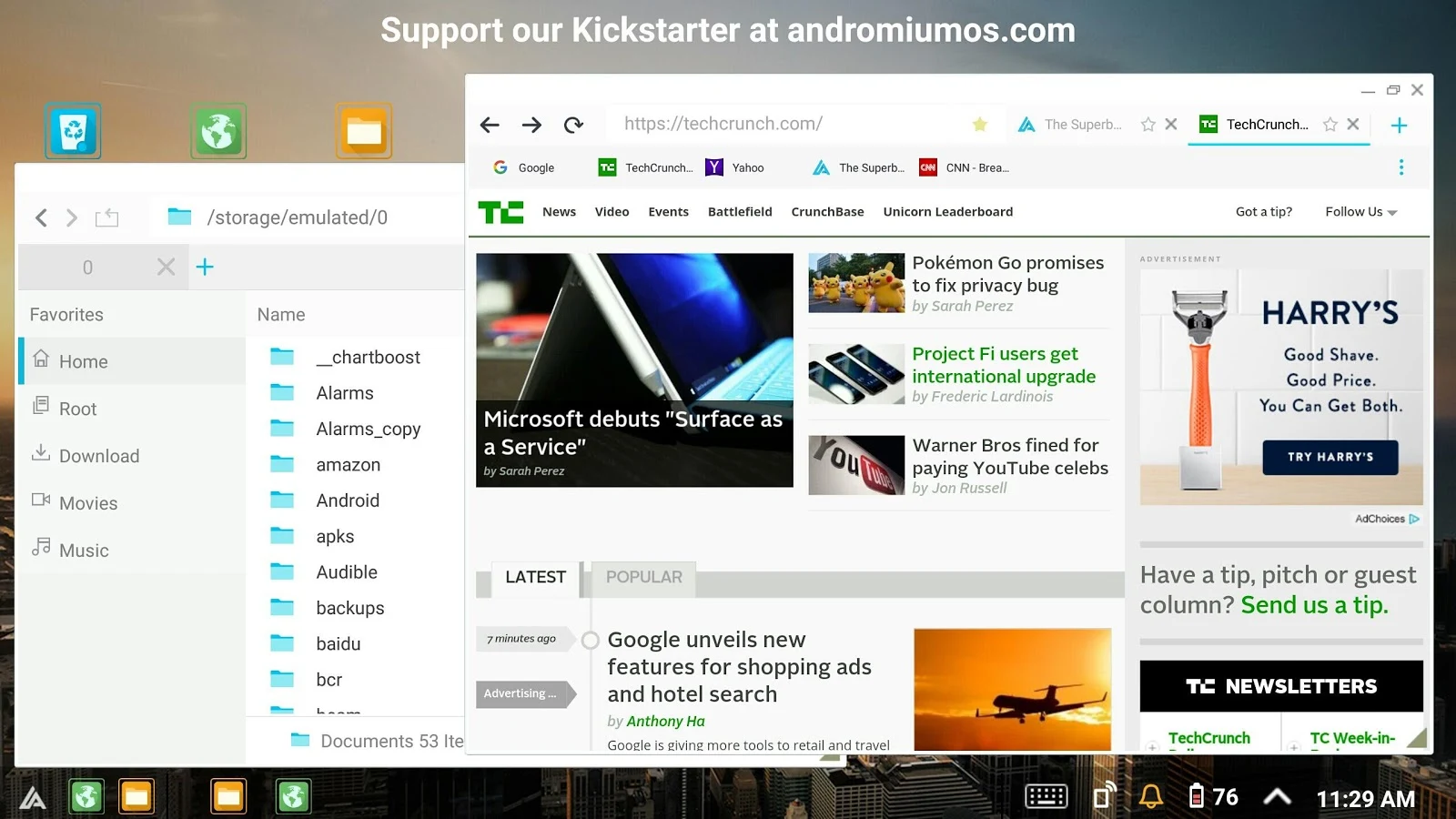
הטלפון שלך יכול להיות המחשב המרכזי שלך ועדיין להראות כמו מחשב

הבעיה המרכזית עם מכשירי הסלולר היא שאי אפשר לעבוד עליהם. המסך קטן, אין מקלדת וכו'. הסוגיה ברורה.

אבל משגע אותי (ואני בטוח שאת כולכם) שיש חוסר תקשורת בין המידע שבטלפון למידע שבמחשב. ריבוי המכשירים האלקטרונים שלנו לא עוזר לנו למצא את המידע שלנו, גם אם תהיה לנו אפליקציה מצוינת שתעזור לנו.

פתרון עתידי אחד לסוגיה הזו היא שכל המידע ישב ב"ענני" האינטרנט שמתעבים מעל לראשנו. כל המידע שלנו ישב במקום כלשהו "באוויר" וכל המכשירים שלנו יתחברו לשם, ויעבדו שם. אבל עד שנגיע לשם, יקח הרבה זמן.

הנה דרך חדשה ומעניינת קצת אחרת.
במקום לעבוד מהמחשב עצמו, מכשיר הטלפון שלנו חזק מספיק כדי להיות מחשב בעצמו. אז למה שהוא לא יהיה המחשב?
הנה שני מוצרים שמנסים לעשות את הדבר הזה בדיוק. מחברים את הטלפון למחשב (שיכול להיות פשוט, טיפש וזול מאד), ובום. מערכת ההפעלה שלך נפרסת על המסך הגדול.
המקלדת והעכבר שולטים בטלפון, חלונות נפתחים בצורה המוכרת והידועה, ואת התוכנות אפשר להתקין על הטלפון.
הדבר היחיד שתצטרכו כמובן, הוא יותר זכרון בטלפון עצמו.


The Superbook


יום שני, 12 בספטמבר 2016

Jimmy Kimmel עם שיעור בראיונות משתמשים: מה לא עושים ואיך להטעות לקוחות


לקחו אנשים ברחוב, לקחו את הiphone שלהם, ניקו להם את המסך, אמרו להם שהחליפו להם את הטלפון והעבירו את כל המידע אל iphone החדש. שאלו אותם האם הם רוצים ללכת עכשיו איתו ולשם 50 דולר במקום 600 (המחיר האמיתי בחנויות). 
נחשו מה הם אמרו.

יום שישי, 9 בספטמבר 2016

Snow World- חווית מציאות מדומה להשכחת כאב


זו אחת החוויות VR הראשונות שאני זוכר שראיתי. אינני אוהב את הטכנולוגיה הזו כל כך, אך יש לה לא מעט שימושים מדהימים ביופיים. זה בהחלט אחד הרגעים היפים.

בזמן שמטופלים צריכים לעבור טיפול כואב במיוחד, כמו נפגעי שריפה בדרגות גבוהות שמרואיינים בכתבה זו, משתמשים במשחק מחשב כדי להשכיח את החוויה הכואבת מהם.

הפרויקט נולד על ידי כמה שמות גדולים בעולם הVR/AR: טום פורנס (Tom Furness) ממפתחי קסדת הטייסים ומקימי המעבדה לאינטראקציה באוניברסיטת ניו זילנד, ועוד ארבעה רופאים ומומחים לטיפול בכאב באמצעות VR.


כתבות לקריאה בנושא:

יום שני, 5 בספטמבר 2016

קוד פתוח והפעם: תבנית אתר פורטפוליו

בשנים האחרונות אני כותב הרבה בעזרת Bootstrap. 
חקרתי רבות את עולם הפורטפוליו ותיקי העבודות. ניסיתי דרכים רבות להציג את העבודות שלי לעולם.

בהשראת indexhibit כתבתי תבנית עבור bootstrap. חינמי לשימוש. רק צריך להחליף את התוכן.